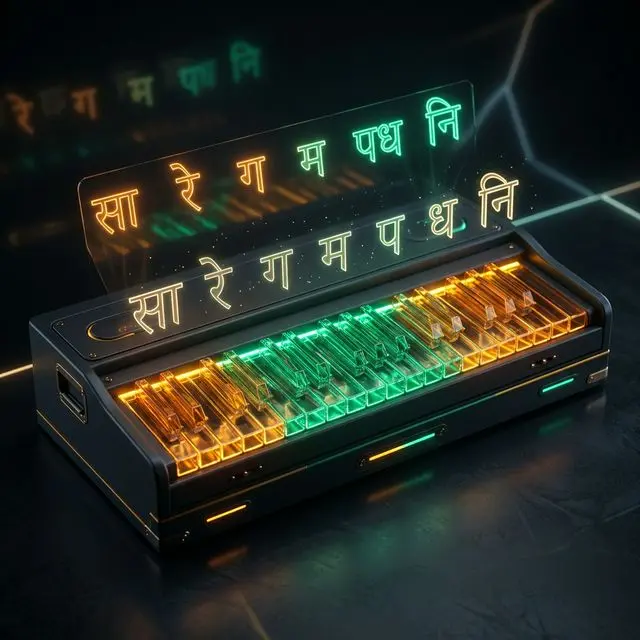
Master the majestic, late-night tones of Raag Darbari Kanada on a virtual web harmonium. Learn Aroha, Avaroha, Pakad, sargam exercises, and pocket chords in this local-first, zero-latency guide.
Raag Darbari Kanada (often referred to simply as Raag Darbari) is one of the most majestic, serious, and deeply introspective ragas in the Hindustani classical music tradition. Believed to have been created or popularized by Mian Tansen, the court musician of the Mughal Emperor Akbar, this raga carries an innate sense of royal grandeur, mystical depth, and profound emotional gravity. Traditionally performed in the quiet stillness of late night—specifically around midnight—it is characterized by its heavy, slow-moving phrases, rich ornamentation, and complex microtonal movements that evoke a meditative and spiritual atmosphere.
For centuries, the hand-pumped harmonium has been a central companion for vocalists and instrumentalists practicing Hindustani music. However, learning to play Raag Darbari on a physical harmonium presents significant challenges. Physical instruments are expensive, bulky, and highly sensitive to seasonal changes. Fluctuations in humidity and temperature across the Indian subcontinent can easily detune the brass reeds, forcing students to make regular trips to tuning experts. Additionally, the need for a quiet, private space to practice classical music is often at odds with modern living conditions.
To overcome these barriers, MojoDocs offers a free, browser-based solution: the Web Harmonium. Built using the Web Audio API, this tool provides a zero-latency, high-fidelity replication of a physical harmonium that runs entirely on your local device. In this comprehensive technical guide and sargam lesson, we will explore the deep structure of Raag Darbari, explain how to play darbari kanada online, map the essential raag darbari notes to your QWERTY keyboard, and detail the technical and economic benefits of practicing with a local-first virtual harmonium.
The Origin and Aesthetic Character of Raag Darbari Kanada
To perform Raag Darbari effectively, one must understand its origin and emotional character. The word Darbari means "belonging to the court" (darbar), reflecting its historical debut in royal settings. Unlike lighter ragas that express romantic longing or playful joy, Darbari is a gambhir (serious and heavy) raga. It does not rush; it demands slow, deliberate phrasing, deep breath control from vocalists, and patient finger work from the harmonium player. The aesthetic rasa (flavor) of Darbari is a combination of Veera (heroism/majesty), Bhakti (devotion), and Shanti (deep, tranquil peace).
In traditional performance, Darbari is categorized under the Asavari Thaat (the parent scale). It is a vakra (crooked) raga, meaning its ascending and descending patterns do not follow a straight, linear path. Instead, they twist and turn to highlight specific note combinations that define the raga's identity. Furthermore, Darbari is famous for its use of Andolan—a slow, heavy, microtonal oscillation on the flat notes. Without this specific oscillation, the raga loses its unique character and begins to sound like other scales in the Asavari Thaat, such as Raag Jaunpuri or Raag Asavari itself.
Playing these intricate movements on a keyboard requires a responsive interface. A delay of even a few milliseconds between pressing a key and hearing the sound can disrupt your timing. The MojoDocs Web Harmonium is designed to address this challenge by delivering zero-latency audio synthesis directly in your browser.
The Musical Grammar: Aroha, Avaroha, and Pakad
The grammatical structure of Raag Darbari Kanada is built around a specific set of rules governing how notes are approached. The raga uses all seven notes, but it modifies three of them into their flat (komal) forms: Komal Rishabh is not used (it uses Shuddh Rishabh), but it uses Komal Gandhar (g), Komal Dhaivat (d), and Komal Nishad (n). The remaining notes—Shadja (S), Rishabh (R), Madhyam (m), Pancham (P), and Dhaivat (d)—follow their standard pitch configurations.
Let us examine the core notation structures of the raga:
1. The Aroha (Ascending Scale)
In the ascent, the third note (Gandhar) and the sixth note (Dhaivat) are typically omitted or bypassed in a crooked manner to preserve the raga's character. The standard ascending path is written as:
Sa → Re → ga (komal with oscillation) → ma → Pa → dha (komal with oscillation) → ni (komal) → Sa
On a darbari kannada harmonium, the player often skips a direct step to Ga, playing Sa → Re → ma → Pa or using the crooked sequence Sa → Re → ga → ma → Pa, where the Ga is approached gently from Re rather than struck directly.
2. The Avaroha (Descending Scale)
The descent is fully crooked and descends in a zigzag pattern, highlighting the key notes of the scale. It is written as:
Tar Sa → komal dha → komal ni → Pa → ma → Pa → komal ga → Re → Sa
Note how the sequence goes from high Sa down to Komal Dha, then back up to Komal Ni, before dropping to Pancham (S → d → n → P). This winding structure is central to the Kanada family of ragas.
3. The Pakad (Signature Phrase)
The Pakad is the characteristic phrase that immediately identifies the raga to the listener. For Raag Darbari, the classic signature phrase is:
ga → Re → Sa → dha (in the lower register) → ni (lower register) → Sa → Re → Sa
Or the more extended phrase:
Sa → Re → ga → Re → Sa → ma → Pa → dha → ni → Pa → ma → Pa → ga → Re → Sa
When practicing these phrases, pay close attention to the transitions between notes. The shift from Re to Komal Ga and back to Re must be played with a smooth, lingering touch to capture the raga's meditative character.
The Challenge of Andolan: Simulating Microtones on a Digital Interface
The most defining characteristic of Raag Darbari is the Andolan (slow, heavy oscillation) applied to Komal Ga (g) and Komal Dha (d). In Hindustani music, notes are not static points of frequency; they are dynamic zones. In Darbari, Komal Ga is played slightly lower than its standard equal-tempered pitch. When a vocalist or sarangi player performs Komal Ga, they do not hold a single frequency; they slowly swing the pitch between a very low Komal Ga and Rishabh (Re), creating a heavy, oscillating effect.
This oscillation presents a technical challenge on a digital keyboard or a standard piano, where keys are tuned to fixed semitones. However, virtual harmonium players can simulate this effect using specific physical and digital techniques:
- Rapid Dyadic Trilling: Gently rock your fingers between the Komal Ga and Shuddh Re keys (or Komal Dha and Pancham keys) in a controlled rhythm. This mimics the pitch variation of a physical reed.
- Grace Note Articulation (Kan Swara): Always slide into Komal Ga from the note above or below. When striking Komal Ga, quickly touch Shuddh Re first, then rest on Komal Ga while keeping the key slightly active.
- Pitch Bending: The MojoDocs Web Harmonium interface includes a fine-tuning slider. By adjusting this slider slightly during play, you can introduce subtle pitch changes that replicate the microtonal variations of a physical performance.
The Economics of Riyaz in India: Physical vs. Cloud vs. MojoDocs
Maintaining a regular practice routine (Riyaz) is essential for mastering any classical raga. However, the costs associated with traditional instrument ownership can be a barrier for many students in India. A high-quality, professional-grade scale-changer harmonium from a reputable maker can cost anywhere from ₹18,000 to ₹45,000 INR upfront. This represents a significant capital investment for a beginner.
In addition to the initial purchase price, physical harmoniums require regular maintenance. The brass reeds are highly sensitive to humidity and temperature fluctuations, which are common across India. During the monsoon season, humidity can cause the brass to expand and oxidize, detuning the instrument. Resolving this requires taking the 12-kilogram wooden instrument to a local tuning expert, incurring annual costs of ₹2,000 to ₹4,000 INR. For students relying on local transport, carrying a heavy instrument to a shop is also a logistically challenging task.
Digital alternatives also present financial and practical hurdles. Many online harmonium applications operate on subscription models, charging monthly or annual fees to access high-quality instrument sounds. Other tools rely on cloud-based processing, which sends keyboard signals to remote servers to generate the audio. This setup requires a constant, high-speed internet connection and introduces performance latency, making it difficult to practice in time with a rhythm. In contrast, MojoDocs provides a free, client-side virtual harmonium that operates entirely on your local device, eliminating maintenance costs and latency issues.
| Method | Cost | Privacy |
|---|---|---|
| Physical Scale-Changer Harmonium | ₹18,000 - ₹45,000 upfront + ₹3,000/year tuning fees | 100% Offline (Analog) but subject to wear and detuning |
| Cloud-Based Software & subscription Apps | ₹4,000 - ₹10,000/year subscription plans | Poor (Requires active internet, constant data tracking) |
| MojoDocs Web Harmonium | ₹0 (Free, local-first engine) | 100% Secure (Zero-data upload, works entirely offline) |
By removing financial barriers and the need for ongoing maintenance, web-based local-first applications lower the entry threshold for studying Indian classical music. Students can practice with a calibrated, zero-latency instrument without investing in expensive hardware or software licenses.
Data Sovereignty in Music: The Architecture of Local-First Audio
Data privacy is an important consideration when using digital tools. Many modern music applications upload user keystrokes, practice times, and microphone audio to remote servers. This telemetry is often used to train machine learning models or build commercial user profiles. This poses a privacy risk for singers and instrumentalists, who may not want their practice sessions or vocal profiles recorded and stored in the cloud.
This risk is similar to the privacy concerns surrounding official identification documents. In India, documents like driving licenses on the Parivahan portal, Aadhaar details from UIDAI, PAN cards from NSDL, or passports from the Ministry of External Affairs (MEA) contain sensitive biometric and personal information. Users expect these documents to be handled securely without exposure to third-party trackers. The same standard of privacy should apply to creative workspaces.
The MojoDocs Web Harmonium is built on a local-first architecture to address these privacy concerns. Using the browser's native Web Audio API, the sound synthesis is performed entirely on your device. When you press a key, the browser's audio engine generates the sound waves in real time without sending data back to a server. You can verify this local-first behavior by testing the application offline.
The Flight Mode Verification
1. Open MojoDocs. 2. Turn off WiFi/Internet. 3. Process the file. 4. It completes instantly without any data leaving your device.
This design ensures your practice sessions remain private. Because no audio data is transmitted, the application is also free from network latency, allowing for responsive playing even on slower devices.
The Technical Mechanics of Web Audio API Reed Simulation
To understand how the virtual harmonium achieves zero latency, we can look at the underlying technology of the Web Audio API. Traditional web pages played audio by loading an HTML5 audio element and pointing it to an MP3 file. When a user pressed a key, the browser had to request the audio file, decode the compressed MP3 data, and pass it to the operating system's sound card. This process introduced a latency of 150 to 300 milliseconds, making it impossible to play in time with a rhythm.
The Web Audio API bypasses this process by synthesizing sound dynamically in the browser. It operates on an AudioContext, which is an audio-processing graph containing linked modules called AudioNodes. When you press a key on MojoDocs, the application creates an OscillatorNode to generate a continuous waveform. Rather than using simple sine waves, the engine combines sawtooth and square waves to replicate the complex, harmonic-rich sound of physical brass reeds.
This raw wave is then routed through a BiquadFilterNode, which acts as a low-pass filter to soften harsh high frequencies. Next, the signal passes through a GainNode, which uses an ADSR (Attack, Decay, Sustain, Release) envelope to shape the volume:
- Attack: A short ramp (5–10 milliseconds) that simulates the opening of the physical wooden valve.
- Decay: A subtle volume drop (20 milliseconds) as the airflow stabilizes.
- Sustain: A steady level that maintains the volume for as long as the key is held down.
- Release: A quick fade-out (50–100 milliseconds) as the valve closes and the reed stops vibrating.
Configuring Your QWERTY Keyboard for Raag Darbari Notes
Playing the virtual harmonium on a computer requires mapping the physical black and white keys of a keyboard to a standard QWERTY layout. The MojoDocs Web Harmonium uses a layout where the home row corresponds to the white keys (natural notes) and the top row corresponds to the black keys (sharps and flats).
The standard mapping, using C as the fundamental 'Sa' note, is configured as follows:
- A: C (Sa / Shadja)
- W: C# (Komal Re / Flat Rishabh - not used in Darbari, though occasionally touched as a quick grace note)
- S: D (Shuddh Re / Natural Rishabh - Vadi Note)
- E: D# (Komal Ga / Flat Gandhar - Oscillated Note)
- D: E (Shuddh Ga / Natural Gandhar - Omitted in Darbari)
- F: F (Shuddh Ma / Natural Madhyam)
- T: F# (Tivra Ma / Sharp Madhyam - Omitted in Darbari)
- G: G (Pa / Pancham - Samvadi Note)
- Y: G# (Komal Dha / Flat Dhaivat - Oscillated Note)
- H: A (Shuddh Dha / Natural Dhaivat - Omitted in Darbari)
- U: A# (Komal Ni / Flat Nishad)
- J: B (Shuddh Ni / Natural Nishad - Omitted in Darbari)
- K: C (Tar Saptak Sa / High Octave Shadja)
- O: C# (High Komal Re)
- L: D (High Shuddh Re)
This layout allows you to play chords and melodies within a two-octave range. You can use your left hand to hold down background chords (like the Sa-Pa drone on keys A and G) while using your right hand to play lead melodies on the middle and high keys.
Pro Tip: Turn on the "Sustain" option in the settings menu when using a computer keyboard. This allows notes to ring out after you release the keys, freeing up your fingers to play melodic lines without dropping the background chords.
Step-by-Step Lesson 1: Aroha, Avaroha, and Pakad Practice
Before moving on to complex exercises, practice the fundamental ascending and descending scales of Raag Darbari. This helps you get used to the QWERTY keyboard layout and the specific note transitions of the raga.
1. Ascending Pattern (Aroha)
To practice the ascending scale, play the keys slowly in the following order:
A → S → E (oscillate gently) → F → G → Y (oscillate gently) → U → K
Focus on holding the E (Komal Ga) and Y (Komal Dha) keys slightly longer to simulate the slow, heavy oscillation of the raga.
2. Descending Pattern (Avaroha)
To practice the descending scale, play the keys in the following order:
K → Y → U → G → F → G → E → S → A
Pay attention to the transition from K → Y → U → G, which highlights the crooked structure of the scale. Keep your movements slow and deliberate.
3. Signature Phrase (Pakad)
To practice the characteristic phrase of Raag Darbari, play the keys in the following order:
E → S → A → Y (lower register) → U (lower register) → S → A
This phrase captures the essence of the raga. Practice it until the transitions feel smooth and natural.
Step-by-Step Lesson 2: Essential Alankars (Keyboard Exercises)
Alankars are structured, repeating patterns of notes that help build finger coordination and speed. Practicing these exercises on a virtual harmonium helps you become familiar with the QWERTY layout and improves your control over the keyboard.
Exercise 1: Simple Three-Note Groups
This exercise focuses on playing three-note groups in ascending and descending order.
- Ascending Pattern:
Sa-Re-ga (A-S-E) → Re-ga-ma (S-E-F) → ga-ma-Pa (E-F-G) → ma-Pa-dha (F-G-Y) → Pa-dha-ni (G-Y-U) → dha-ni-Sa (Y-U-K) - Descending Pattern:
Sa-ni-dha (K-U-Y) → ni-dha-Pa (U-Y-G) → dha-Pa-ma (Y-G-F) → Pa-ma-ga (G-F-E) → ma-ga-Re (F-E-S) → ga-Re-Sa (E-S-A)
Exercise 2: Crooked (Vakra) Transitions
This exercise emphasizes the crooked note transitions that define Raag Darbari.
- Ascending Pattern:
Sa-ma-Re-ga (A-F-S-E) → Re-Pa-ga-ma (S-G-E-F) → ga-dha-ma-Pa (E-Y-F-G) → ma-ni-Pa-dha (F-U-G-Y) → Pa-Sa-dha-ni (G-K-Y-U) - Descending Pattern:
Sa-dha-ni-Pa (K-Y-U-G) → ni-ma-Pa-ga (U-F-G-E) → dha-ga-ma-Re (Y-E-F-S) → Pa-Re-ga-Sa (G-S-E-A)
Step-by-Step Lesson 3: Playing a Classical Bandish
To apply what you have learned, let us walk through a traditional sargam-geet (a composition set to sargam notes) in Raag Darbari, structured in Teen Taal (a 16-beat rhythm cycle divided into four equal measures).
The Rhythmic Structure (Teen Taal)
Teen Taal consists of 16 beats (matras):
1 - 2 - 3 - 4 | 5 - 6 - 7 - 8 | 9 - 10 - 11 - 12 | 13 - 14 - 15 - 16
The first beat is the Sam (the most emphasized beat of the cycle), beat 5 and 13 are claps (tali), and beat 9 is the wave of the hand (khali).
The Composition Notation
Here is the notation for the first verse (Asthayi) of the composition, mapped to the QWERTY keyboard layout:
- Measure 1 (Beats 1-4):
Sa - Re - ga - Re(QWERTY Keys:A - S - E - S) - Measure 2 (Beats 5-8):
ma - Pa - dha - Pa(QWERTY Keys:F - G - Y - G) - Measure 3 (Beats 9-12):
dha - ni - Pa - ma(QWERTY Keys:Y - U - G - F) - Measure 4 (Beats 13-16):
Pa - ga - Re - Sa(QWERTY Keys:G - E - S - A)
Darbari Kanada Harmonium Pocket Chords
While Hindustani classical music is primarily melodic, adding simple chords (pocket chords) during pauses or at the start of a rhythm cycle can add depth to your performance. Rather than using standard major or minor triads, we select notes that match the key intervals of the raga.
1. The Darbari Root Drone (Sa - Pa)
This dyad provides the fundamental drone reference.
- Swaras: Sa (C) + Pancham (G)
- QWERTY Keys:
A+G - Musical Character: A stable, empty fifth chord that establishes the key center without distracting from the melody.
2. The Vadi-Samvadi Chord (Re - Pa)
This chord highlights the two most dominant notes of the raga.
- Swaras: Rishabh (D) + Pancham (G)
- QWERTY Keys:
S+G - Musical Character: Equivalent to a suspended second chord, this combination creates a sense of tension that fits the serious mood of the raga.
3. The Mystical Dhaivat Chord (Komal Dha - Tar Sa)
This chord is used during transitions in the higher register of the scale.
- Swaras: Komal Dha (G#) + Tar Sa (C)
- QWERTY Keys:
Y+K - Musical Character: A soft, melancholic interval that highlights the flat sixth (Komal Dha) note.
Setting Up Your Riyaz Station for Offline Practice
To get the most out of your practice sessions, it is helpful to organize your environment. Here are a few tips for setting up a dedicated space:
- Ergonomics: Position your laptop or keyboard at elbow height to keep your wrists straight while playing keys on the QWERTY layout.
- Audio Setup: Use wired headphones or external speakers. Wireless Bluetooth headphones can introduce audio delay, which interferes with your timing.
- Practice Sheets: Keep a printed copy of the keyboard mappings and sargam notes nearby. You can print these sheets at a local Xerox shop or use a service like Blinkit print stores to have them delivered to your workspace. Having physical sheets helps keep your screen clear for the virtual keyboard interface.
- Refreshments: Keep hot water or herbal tea nearby. You can use services like Zepto or Swiggy Instamart to order refreshments to your door, helping you avoid interruptions during practice.
- Data Security: Treat your creative space with the same privacy you expect when handling official documents. Just as you verify vehicle records on the Parivahan portal or check your Aadhaar status on UIDAI offline, using local-first tools like MojoDocs ensures your recordings and practice sessions remain secure on your device.
Comprehensive QWERTY Key Mapping Table for Raag Darbari
This table provides a reference for mapping the notes of Raag Darbari Kanada to their corresponding QWERTY keys on MojoDocs, using C as the root pitch (Sa).
| Note Name (Swar) | Western Equivalent (Root C) | QWERTY Keyboard Key | Role in Raag Darbari |
|---|---|---|---|
| Shadja (Sa) | C | A |
The root pitch anchor. Used continuously as a reference point. |
| Shuddh Rishabh (Re) | D | S |
The Vadi (most dominant note). Played with emphasis. |
| Komal Gandhar (ga) | Eb / D# | E |
Key flat note. Played with a slow, microtonal oscillation (Andolan). |
| Shuddh Madhyam (ma) | F | F |
A transition note used to bridge the lower and upper registers. |
| Pancham (Pa) | G | G |
The Samvadi (second most dominant note). Provides structural stability. |
| Komal Dhaivat (dha) | Ab / G# | Y |
Flat note in the upper register. Played with a slow, heavy oscillation (Andolan). |
| Komal Nishad (ni) | Bb / A# | U |
Flat seventh note. Used to resolve back to the high octave Shadja. |
| Tar Shadja (Tar Sa) | C (High) | K |
The high octave anchor point. Marks the peak of the ascending scale. |
Conclusion: The Value of Browser-Based Music Practice
The transition from a heavy, high-maintenance wooden instrument to a lightweight, browser-based application makes learning classical music more accessible. By combining the Web Audio API with a local-first design, MojoDocs provides a zero-latency, private virtual harmonium that allows musicians to practice and accompany ghazals without the need for expensive hardware or subscriptions.
Whether you are a beginner practicing scales or an experienced vocalist looking for a portable accompaniment tool, the virtual harmonium offers a convenient solution. By eliminating the reliance on cloud servers, the application ensures your practice sessions remain secure, private, and accessible wherever you are.
Ready to Play?
Launch the free, zero-latency Web Harmonium right now. No sign-ups or downloads required.
Play the Web Harmonium