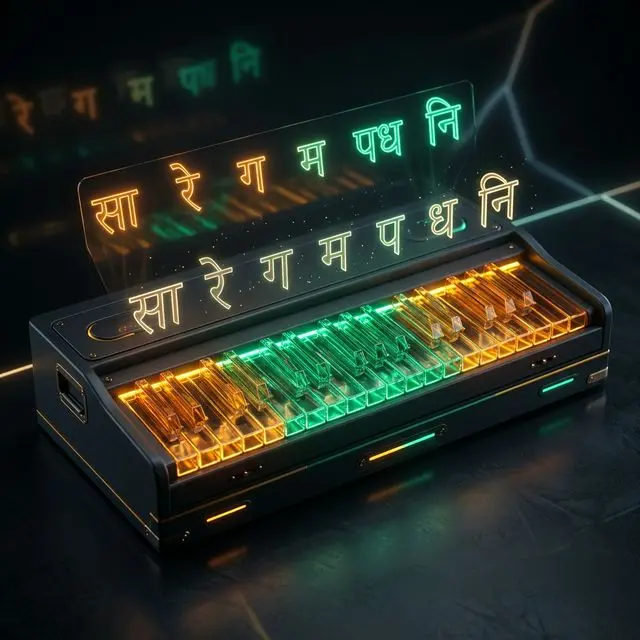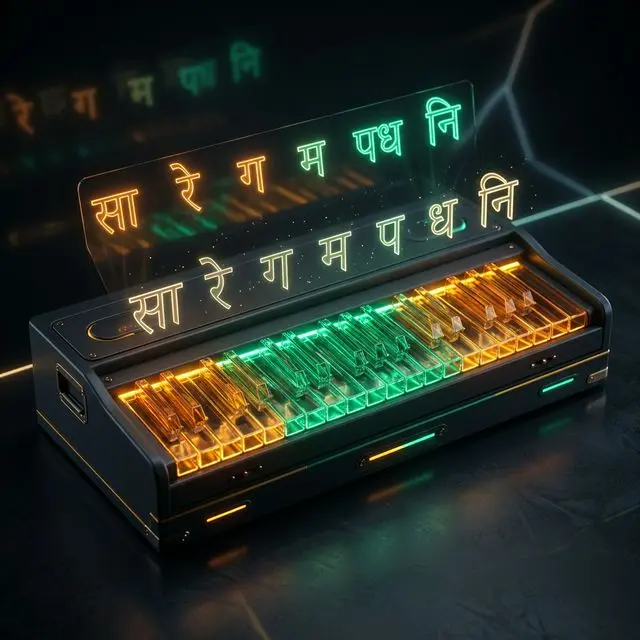
Master Indian classical vocal drills and finger dexterity without buying a physical instrument. Learn to map Hindustani Swaras to QWERTY keys, practice 10 core Alankars, and achieve zero-latency Riyaz offline with MojoDocs.
The harmonium has been the heartbeat of Indian music for over a century. From the classical compositions of Hindustani music to the devotion of Bhajans and Kirtans, and the deep emotional resonance of Ghazals, this wind instrument provides the essential tonal foundation. Yet, the barrier to entry has traditionally been high: high-quality wooden harmoniums are heavy, prone to detuning in extreme weather, and demand a financial commitment that not every student can make. That barrier is now completely dismantled.
Using the power of modern client-side web technologies, you can transform your standard computer keyboard into a high-fidelity, zero-latency virtual harmonium. By mapping the Indian Swara system (Sargam) directly to your QWERTY keys, you can practice Alankars (musical ornaments or patterns) anywhere, at any time, without carrying a bulky instrument. If you are looking for a functional harmonium keyboard for pc, learning how to interpret qwerty harmonium notes is the most efficient starting point. It allows you to play sargam on computer keyboard setups without any external hardware or configuration. In this comprehensive masterclass, we will cover the music theory of Alankars, establish a standardized QWERTY keyboard layout, walk through 10 essential vocal and finger exercises, and inspect the underlying Web Audio API technology that makes this local-first tool possible.
Section 1: The Anatomy of a Digital Swara
To successfully play the harmonium on a PC, you must understand how physical reeds translate to digital triggers. Unlike a piano, where the sound is percussive and decays over time, the harmonium is an aerophone. Its sound is produced by air pumped through metal reeds, meaning a note sustains as long as the key is held down and air is supplied. On a laptop keyboard, we achieve this by binding the keydown event to start an audio oscillator and the keyup event to release it.
In Indian classical music, the octave is divided into seven basic natural notes, called Shuddha Swaras: Sa (Shadja), Re (Rishabh), Ga (Gandhaar), Ma (Madhyam), Pa (Pancham), Dha (Dhaivat), and Ni (Nishad). Additionally, there are five accidental notes: four flat notes, called Komal Swaras (Komal Re, Komal Ga, Komal Dha, Komal Ni), and one sharp note, called Tivra Swara (Tivra Ma).
At MojoDocs Web Harmonium, we have mapped these twelve notes to mimic the physical configuration of black and white keys on a piano or harmonium keyboard. The home row of your keyboard (A, S, D, F, G, H, J, K) acts as the white keys (Shuddha Swaras), while the top row of keys (W, E, T, Y, U, O, P) acts as the black keys (Komal and Tivra Swaras). This natural layout allows your fingers to sit comfortably on the home row, minimizing hand strain and mirroring the physical layout of a musical keyboard.
Localization Tip: To keep your focus on your posture and voice rather than continuously glancing at your laptop screen, print the QWERTY keyboard mapping guide. You can save the mapping table as a PDF, print it via Blinkit print stores or your local Xerox cyber cafe, and place it at eye-level on your desk during your practice.
Section 2: The Economics of Riyaz: Physical vs. Cloud vs. Local-First
Vocal and instrumental practice (known as Riyaz) is a daily ritual for Indian classical musicians. For students, acquiring a high-quality instrument can represent a major financial hurdle. In local markets across India—whether in Delhi's Daryaganj, Kolkata's Lalbazar, Varanasi's Vishwanath Gali, or Mumbai's Girgaon—a standard double-reed harmonium costs anywhere between ₹8,000 and ₹18,000.
If you require a professional-grade scale-changer harmonium (which allows you to shift the physical keys to align with your natural vocal register), the price jumps significantly to ₹25,000 - ₹65,000. Furthermore, wooden harmoniums are highly sensitive to seasonal humidity changes in India. Reeds go out of tune, bellows leak air, and wood warps, requiring regular tuning visits to a professional craftsman costing ₹1,500 - ₹3,500 annually.
Transitioning to digital solutions often introduces other expenses. Virtual Studio Technology (VST) plugins that replicate authentic Indian instruments cost between ₹8,000 and ₹25,000, and they require a Digital Audio Workstation (DAW) like Logic Pro or Ableton Live, which costs an additional ₹15,000 to ₹35,000. Alternatively, cloud-based practice applications demand recurring subscription fees ranging from ₹500 to ₹2,000 per month. Over a few years, these subscription models quietly drain tens of thousands of rupees from student budgets.
The MojoDocs Web Harmonium costs exactly ₹0. Because it is built entirely using serverless client-side code, it generates sound in real-time on your own laptop's CPU. By eliminating backend server rendering, we do not pay hosting costs for audio generation, allowing us to keep this tool completely free and ad-free. This ensures that every student, regardless of their economic background, has access to a professional practice tool.
| Method | Cost | Privacy |
|---|---|---|
| Physical Scale-Changer Harmonium | ₹25,000 - ₹65,000 (Initial) + ₹2,000/year tuning | 100% Offline and Private |
| Commercial VST Suite & DAW Software | ₹23,000 - ₹60,000 (Software licenses) | Requires online license validation checks |
| Cloud-based Subscription Training Apps | ₹500 - ₹2,000/month (₹6,000 - ₹24,000/year) | Keystrokes and vocal data sent to cloud servers |
| MojoDocs Web Harmonium | ₹0 (Free Forever) | 100% Private (Runs fully client-side) |
Section 3: Data Sovereignty: Why Your Music Belongs Offline
When you practice music, you are engaging in a highly personal process of trial, error, and growth. Unfortunately, modern cloud applications frequently capture user behaviors, tracking which keys you press, when you practice, and even collecting ambient microphone data for "quality assurance" and machine learning training. Your creative expressions, mistakes, and practice hours should be your own private data.
We believe in absolute data sovereignty. Unlike online government platforms such as the Parivahan portal (for driving license and registration card queries), UIDAI (for Aadhaar updates), NSDL (for PAN card applications), or the Ministry of External Affairs (Passport Seva), which must connect to central government servers to run verification routines, cross-reference security keys, and store logs, MojoDocs operates under a serverless, local-first paradigm. Once the initial application assets are cached by your browser, all operations are executed strictly in memory on your physical machine.
To verify this privacy guarantee, you can perform our signature Flight Mode Audit. This simple test confirms that no network calls are initiated while using the application, ensuring that your keys, tempo, and notes are never transmitted to external databases.
The Flight Mode Verification
1. Open MojoDocs. 2. Turn off WiFi/Internet. 3. Play the harmonium. 4. It completes instantly without any data leaving your device.
Section 4: The Anatomy of QWERTY Swara Mapping
To establish a smooth practice routine, we must map the 12 semi-tones of the octave to the QWERTY keyboard. A physical harmonium starts from a specific pitch (often referred to as 'Safed Ek' or C# for standard male scales, and 'Kali Teen' or F# for female scales). To keep the mapping intuitive, our virtual harmonium maps middle C (261.63 Hz) to the A key on your keyboard. This serves as the Shadja (Sa) note of the Middle Octave (Madhya Saptak).
The following mapping table details how the three octaves—Mandra Saptak (Lower Register), Madhya Saptak (Middle Register), and Taar Saptak (Higher Register)—are assigned across your computer keys. In Hindustani music terminology, a dot below the note (e.g., Ni.) denotes the lower octave, whereas a dot or apostrophe above the note (e.g., Sa') denotes the higher octave.
| Swara Name (Short) | Swara Type | Western Note | QWERTY Key | Saptak (Register) | Frequency (Hz) |
|---|---|---|---|---|---|
| Sa | Shuddha | C4 | A | Madhya (Middle) | 261.63 |
| Re (Komal) | Komal (Flat) | C#4 | W | Madhya (Middle) | 277.18 |
| Re | Shuddha | D4 | S | Madhya (Middle) | 293.66 |
| Ga (Komal) | Komal (Flat) | D#4 | E | Madhya (Middle) | 311.13 |
| Ga | Shuddha | E4 | D | Madhya (Middle) | 329.63 |
| Ma | Shuddha | F4 | F | Madhya (Middle) | 349.23 |
| Ma (Tivra) | Tivra (Sharp) | F#4 | T | Madhya (Middle) | 369.99 |
| Pa | Shuddha | G4 | G | Madhya (Middle) | 392.00 |
| Dha (Komal) | Komal (Flat) | G#4 | Y | Madhya (Middle) | 415.30 |
| Dha | Shuddha | A4 | H | Madhya (Middle) | 440.00 |
| Ni (Komal) | Komal (Flat) | A#4 | U | Madhya (Middle) | 466.16 |
| Ni | Shuddha | B4 | J | Madhya (Middle) | 493.88 |
| Sa' | Shuddha | C5 | K | Taar (High) | 523.25 |
| Re' (Komal) | Komal (Flat) | C#5 | O | Taar (High) | 554.37 |
| Re' | Shuddha | D5 | L | Taar (High) | 587.33 |
| Ga' (Komal) | Komal (Flat) | D#5 | P | Taar (High) | 622.25 |
| Ga' | Shuddha | E5 | ; | Taar (High) | 659.25 |
Section 5: Mastering the 10 Hindustani Thaats on QWERTY
In the Hindustani classical tradition, all melodic scales (Raags) are categorized under 10 parent scales called Thaats. A Thaat must contain exactly seven notes in a specific order, but can vary in terms of whether these notes are Shuddha, Komal, or Tivra. To develop finger independence on a laptop keyboard, you must learn to navigate these ten structures.
1. Thaat Bilawal (The Standard Scale)
Equivalent to the Western Major scale. It uses only Shuddha (natural) Swaras. It represents the baseline for all initial Alankar exercises.
- Notes: Sa - Re - Ga - Ma - Pa - Dha - Ni - Sa'
- QWERTY Sequence:
A -> S -> D -> F -> G -> H -> J -> K
2. Thaat Kalyan (The Grand Evening Scale)
Equivalent to the Lydian mode, Kalyan introduces a single modification: Shuddha Ma is replaced by Tivra Ma (represented by the T key). Kalyan is associated with peace, devotion, and structural elegance.
- Notes: Sa - Re - Ga - Ma(Tivra) - Pa - Dha - Ni - Sa'
- QWERTY Sequence:
A -> S -> D -> T -> G -> H -> J -> K
3. Thaat Khamaj (The Classical Romantic Scale)
Equivalent to the Mixolydian mode. Khamaj uses all Shuddha Swaras except in the descent, where it utilizes Komal Ni (represented by the U key). When practicing the scale, both natural Ni (J) and flat Ni (U) are encountered, though the baseline Thaat structure maintains Shuddha Ni in ascent and Komal Ni in descent.
- Notes: Sa - Re - Ga - Ma - Pa - Dha - Ni(Komal) - Sa'
- QWERTY Sequence:
A -> S -> D -> F -> G -> H -> U -> K
4. Thaat Kafi (The Rhythmic Scale)
Equivalent to the Dorian mode. Kafi introduces Komal Ga (the E key) and Komal Ni (the U key). This scale is widely used in folk, semi-classical, and traditional Hori and Thumri compositions.
- Notes: Sa - Re - Ga(Komal) - Ma - Pa - Dha - Ni(Komal) - Sa'
- QWERTY Sequence:
A -> S -> E -> F -> G -> H -> U -> K
5. Thaat Asavari (The Melancholic Scale)
Equivalent to the Natural Minor scale (Aeolian mode). Asavari introduces three flat notes: Komal Ga (E), Komal Dha (Y), and Komal Ni (U). Practicing Asavari requires rapid horizontal jumps between the home row and top row keys.
- Notes: Sa - Re - Ga(Komal) - Ma - Pa - Dha(Komal) - Ni(Komal) - Sa'
- QWERTY Sequence:
A -> S -> E -> F -> G -> Y -> U -> K
6. Thaat Bhairav (The Meditative Morning Scale)
A deeply spiritual scale characterized by the flatted second and flatted sixth degrees: Komal Re (W) and Komal Dha (Y). The transition between Komal Re and Shuddha Ga requires a distinct skipping pattern of your fingers on the laptop keyboard.
- Notes: Sa - Re(Komal) - Ga - Ma - Pa - Dha(Komal) - Ni - Sa'
- QWERTY Sequence:
A -> W -> D -> F -> G -> Y -> J -> K
7. Thaat Bhairavi (The Universal Scale)
Equivalent to the Phrygian mode. Bhairavi flats all four mutable notes: Komal Re (W), Komal Ga (E), Komal Dha (Y), and Komal Ni (U). Since it uses a significant number of top-row keys, Bhairavi serves as a benchmark test for keyboard virtuosity.
- Notes: Sa - Re(Komal) - Ga(Komal) - Ma - Pa - Dha(Komal) - Ni(Komal) - Sa'
- QWERTY Sequence:
A -> W -> E -> F -> G -> Y -> U -> K
8. Thaat Todi (The Royal Morning Scale)
One of the most complex scales in Hindustani music, Todi features four altered notes: Komal Re (W), Komal Ga (E), Tivra Ma (T), and Komal Dha (Y). Playing this scale requires precise alternating strikes across the home-row and top-row keys.
- Notes: Sa - Re(Komal) - Ga(Komal) - Ma(Tivra) - Pa - Dha(Komal) - Ni - Sa'
- QWERTY Sequence:
A -> W -> E -> T -> G -> Y -> J -> K
9. Thaat Poorvi (The Sunset Scale)
Poorvi introduces Komal Re (W), Tivra Ma (T), and Komal Dha (Y) while keeping Shuddha Ga (D) and Shuddha Ni (J). It evokes a deep, meditative mood and requires rapid, non-adjacent finger placements.
- Notes: Sa - Re(Komal) - Ga - Ma(Tivra) - Pa - Dha(Komal) - Ni - Sa'
- QWERTY Sequence:
A -> W -> D -> T -> G -> Y -> J -> K
10. Thaat Marwa (The Twilight Scale)
Characterized by a flatted second and sharp fourth: Komal Re (W) and Tivra Ma (T), with a prominent Shuddha Dha (H). Marwa has a restless, unresolved tension that is deeply striking.
- Notes: Sa - Re(Komal) - Ga - Ma(Tivra) - Pa - Dha - Ni - Sa'
- QWERTY Sequence:
A -> W -> D -> T -> G -> H -> J -> K
Section 6: The Alankar Playbook: 10 Exercises for Keyboard Dexterity
Alankars (sometimes called Paltas) are patterns of musical notes arranged in a specific sequence. They are divided into two parts: the Arohana (ascending pattern) and the Avarohana (descending pattern). Practicing these patterns regularly builds muscle memory, improves keyboard finger speed, and improves vocal pitch alignment.
Below, we have detailed 10 fundamental Alankars. For each exercise, we provide the theoretical musical notation alongside the exact QWERTY key presses required. For beginner students, we recommend practicing these exercises in Thaat Bilawal (natural notes) first before challenging yourself by shifting them into Thaat Bhairavi or Thaat Todi.
Alankar 1: The Sarla Alankar (Linear Scale Run)
The standard linear ascent and descent. This exercise establishes your physical home position. Ensure your fingers lie comfortably over the A-S-D-F keys (left hand) and G-H-J-K keys (right hand).
| Direction | Swara Pattern | QWERTY Key Sequence |
|---|---|---|
| Arohana (Ascent) | Sa, Re, Ga, Ma, Pa, Dha, Ni, Sa' | A - S - D - F - G - H - J - K |
| Avarohana (Descent) | Sa', Ni, Dha, Pa, Ma, Ga, Re, Sa | K - J - H - G - F - D - S - A |
Vocal Benefit: Helps align the voice to the basic pitch registers and verifies that your vocal apparatus is properly warmed up.
Alankar 2: The Dugun Jod (Double Repeat Pattern)
This pattern doubles each note, requiring you to strike each QWERTY key twice in quick succession. This exercise is key for building rhythmic precision (Laya) and key-striking speed.
| Direction | Swara Pattern | QWERTY Key Sequence |
|---|---|---|
| Arohana (Ascent) | Sa Sa, Re Re, Ga Ga, Ma Ma, Pa Pa, Dha Dha, Ni Ni, Sa' Sa' | AA - SS - DD - FF - GG - HH - JJ - KK |
| Avarohana (Descent) | Sa' Sa', Ni Ni, Dha Dha, Pa Pa, Ma Ma, Ga Ga, Re Re, Sa Sa | KK - JJ - HH - GG - FF - DD - SS - AA |
Keyboard Benefit: Prevents "key dragging" where one key remains pressed, causing unintended polyphony.
Alankar 3: The Tigun Triplet (Three-Note Groups)
A rolling three-note pattern that shifts its starting point up by one note with each cycle. This introduces the concept of structural syncopation.
| Direction | Swara Pattern | QWERTY Key Sequence |
|---|---|---|
| Arohana (Ascent) | SaReGa, ReGaMa, GaMaPa, MaPaDha, PaDhaNi, DhaNiSa' | ASD - SDF - DFG - FGH - GHJ - HJK |
| Avarohana (Descent) | Sa'NiDha, NiDhaPa, DhaPaMa, PaMaGa, MaGaRe, GaReSa | KJH - JHG - HGF - GFD - FDS - DSA |
Vocal Benefit: Improves breath control and teaches the singer to transition cleanly between three-tone intervals without sliding or drifting in pitch.
Alankar 4: The Chaugun Quadruplet (Four-Note Runs)
A fast, four-note linear group. This pattern forms the core foundation of performing fast melodic runs (Taans) in classical performances.
| Direction | Swara Pattern | QWERTY Key Sequence |
|---|---|---|
| Arohana (Ascent) | SaReGaMa, ReGaMaPa, GaMaPaDha, MaPaDhaNi, PaDhaNiSa' | ASDF - SDFG - DFGH - FGHJ - GHJK |
| Avarohana (Descent) | Sa'NiDhaPa, NiDhaPaMa, DhaPaMaGa, PaMaGaRe, MaGaReSa | KJHG - JHGF - HGFD - GFDS - FDSA |
Keyboard Benefit: Develops independent articulation for the index, middle, ring, and pinky fingers.
Alankar 5: The Antar Alankar (Skip-Note Intervals)
Instead of moving step-by-step, this exercise skips a note in the scale, focusing on major and minor third intervals (e.g., Sa to Ga, Re to Ma). This pattern is essential for developing ear training and keyboard spatial awareness.
| Direction | Swara Pattern | QWERTY Key Sequence |
|---|---|---|
| Arohana (Ascent) | SaGa, ReMa, GaPa, MaDha, PaNi, DhaSa' | AD - SF - DG - FH - GJ - HK |
| Avarohana (Descent) | Sa'Dha, NiPa, DhaMa, PaGa, MaRe, GaSa | KH - JG - HF - GD - FS - DA |
Vocal Benefit: Calibrates the brain's internal pitch reference to lock onto larger musical intervals with accuracy, preventing flat singing.
Alankar 6: The Vakra Palta (Zigzag Return)
A zigzag movement where you move forward two steps, take one step back, and then leap forward. This represents a classic structure found in complex Raags like Yaman and Bhimpalasi.
| Direction | Swara Pattern | QWERTY Key Sequence |
|---|---|---|
| Arohana (Ascent) | SaReSaGa, ReGaReMa, GaMaGaPa, MaPaMaDha, PaDhaPaNi, DhaNiDhaSa' | ASAD - SDSR - DFDF - FGFH - GHGj - HJKH (Wait: ASAD - SDSF - DFDG - FGFH - GHGJ - HJKH) |
| Avarohana (Descent) | Sa'NiSa'Dha, NiDhaNiPa, DhaPaDhaMa, PaMaPaGa, MaGaMaRe, GaReGaSa | KJKH - JHJG - HGHF - GFGD - FDFS - DSDA |
Correction Note: The correct QWERTY sequence for the ascent is: ASAD - SDSF - DFDG - FGFH - GHGJ - HJKH (representing Sa-Re-Sa-Ga, Re-Ga-Re-Ma, etc.).
Alankar 7: The Four-Note Zigzag Return (Avardhana)
An extension of the zigzag pattern that spans four notes before resolving back to the starting point. This exercise is highly effective for building finger strength and coordination.
| Direction | Swara Pattern | QWERTY Key Sequence |
|---|---|---|
| Arohana (Ascent) | SaGaReSa, ReMaGaRe, GaPaMaGa, MaDhaPaMa, PaNiDhaPa, DhaSa'NiDha, NiRe'Sa'Ni, Sa' | ADSA - SFDS - DGFD - FHGF - GJHG - HKJH - JLOJ (Wait: ADSA - SFDS - DGFD - FHGF - GJHG - HKJH - JLKJ - K) |
| Avarohana (Descent) | Sa'DhaNiSa', NiPaDhaNi, DhaMaPaDha, PaGaMaPa, MaReGaMa, GaSaReGa, ReNi.Sa | KHJK - JGHJ - HFGH - GDFG - FSDF - DASD - SZA (where Z represents lower octave Ni.) |
Adjustment: For keyboards mapping the lower octave Ni., the Z key represents B3 (Ni. of Mandra Saptak).
Alankar 8: The Five-Note Linear Run (Pentatonic Expansion)
An expansion exercise that lengthens each musical phrase to five notes, helping to extend your breath control and test keyboard spacing.
| Direction | Swara Pattern | QWERTY Key Sequence |
|---|---|---|
| Arohana (Ascent) | SaReGaMaPa, ReGaMaPaDha, GaMaPaDhaNi, MaPaDhaNiSa' | ASDFG - SDFGH - DFGHJ - FGHJK |
| Avarohana (Descent) | Sa'NiDhaPaMa, NiDhaPaMaGa, DhaPaMaGaRe, PaMaGaReSa | KJHGF - JHGFD - HGFDS - GFDSA |
Vocal Benefit: Encourages singers to sustain a steady pitch across longer note progressions on a single breath.
Alankar 9: The Mirror Triplet (Reversing Pivot)
A fast, back-and-forth movement where you pivot on a note and immediately resolve it. This pattern simulates classical ornamentation (Murkis and Harkats).
| Direction | Swara Pattern | QWERTY Key Sequence |
|---|---|---|
| Arohana (Ascent) | SaReSa, ReGaRe, GaMaGa, MaPaMa, PaDhaPa, DhaNiDha, NiSa'Ni, Sa' | ASA - SDS - DFD - FGF - GHG - HJH - JKJ - K |
| Avarohana (Descent) | Sa'NiSa', NiDhaNi, DhaPaDha, PaMaPa, MaGaMa, GaReGa, ReSaRe, Sa | KJK - JHJ - HGH - GFG - FDF - SDS - SAS - A |
Alankar 10: The Grand Ascent (Six-Note Swara Runs)
A complex, six-note run designed for advanced students practicing rapid tempo (Drut laya) scales. This exercise requires absolute finger independence and synchronization.
| Direction | Swara Pattern | QWERTY Key Sequence |
|---|---|---|
| Arohana (Ascent) | SaReGaMaPaDha, ReGaMaPaDhaNi, GaMaPaDhaNiSa' | ASDFGH - SDFGHJ - DFGHJK |
| Avarohana (Descent) | Sa'NiDhaPaMaGa, NiDhaPaMaGaRe, DhaPaMaGaReSa | KJHGFD - JHGFDS - HGFDSA |
Section 7: How the Web Audio Engine Works (Under the Hood)
The core technology that allows MojoDocs to run a zero-latency digital harmonium inside a web browser is the Web Audio API. In early web environments, playing an instrument required loading individual MP3 files for every single key. This approach introduced significant issues: it wasted cellular bandwidth, and loading an audio file over the network added a substantial delay (latency) between the key strike and the actual sound, making real-time practice impossible.
To solve these issues, the MojoDocs engine uses additive audio synthesis, creating sound waves in real-time directly on your computer's CPU. The setup involves several key steps:
-
The AudioContext:
The browser initializes a local
AudioContextobject. This acts as the canvas for all audio routing. It communicates directly with your operating system's sound driver, utilizing low-level libraries (like CoreAudio on macOS or WASAPI on Windows) to minimize lag. -
The Multi-Oscillator Array:
A physical harmonium reed doesn't produce a simple, pure tone (like a sine wave). The vibration of the brass reed creates a complex sound wave rich in harmonics. To replicate this warm, brassy resonance, MojoDocs generates a combined wave by running three parallel
OscillatorNodeinstances for every key pressed. We combine a primary sawtooth wave with a triangle wave tuned one octave higher (to simulate the female reed registers) and a sub-octave square wave (to simulate the deep bass bellows). -
Resonant Filtering:
These raw waves pass through a low-pass
BiquadFilterNodewith a resonant peak at 800 Hz. This filter softens the harsh high frequencies of the digital oscillators, successfully mimicking the warm acoustic filtering of the harmonium's wooden cabinet. -
Bellows Amplitude Modulation (Envelope):
To simulate the physical pumping of bellows, the volume is controlled via a
GainNodemapped to an ADSR envelope (Attack, Decay, Sustain, Release). When you press a key, the attack phase has a slight 20-millisecond ramp-up to simulate the air pressure building behind the reed. When you release the key, a 150-millisecond release decay prevents the sound from cutting off abruptly, replicating the residual air leaving the physical wind chamber.
Section 8: System Tuning & Optimal Riyaz Setup
To ensure a smooth, lag-free experience while practicing Alankars on your computer keyboard, you should tune a few operating system and browser settings. When you hold down a key (for example, holding down the A key to act as a vocal drone), the operating system's default behavior is to register repeated key presses (e.g., A-A-A-A-A-A). In a basic web app, this repeated input triggers a stuttering restart of the sound engine.
To avoid this, MojoDocs monitors the event.repeat flag in JavaScript. If the flag is set to true, the browser ignores the duplicate input, allowing the note to sustain smoothly. Additionally, you can adjust your operating system's keyboard settings to make the keys feel even more responsive.
Adjusting Keyboard Repeat Rates
- On macOS: Go to System Settings > Keyboard. Set the Key repeat rate slider to Fast, and the Delay start slider to Short. This reduces the latency of rapid consecutive key strikes when running fast Alankars.
- On Windows: Open the Control Panel, search for Keyboard, and adjust the Repeat rate to its maximum setting and the Repeat delay to Short. Alternatively, you can search for and enable "FilterKeys" to customize key press sensitivity.
Pro Tip: To create a continuous, soothing drone (Tanpura/Harmonium effect) without holding down the keys, turn on the "Sustain" or "Drone" toggle on the MojoDocs control panel. This keeps the root notes (Sa-Pa, or A-G) vibrating indefinitely, freeing up your hands to play fast Alankars over it.
Finally, remember to prioritize your physical health during long vocal practices. Singing can put strain on your vocal cords. Keep a glass of lukewarm water or ginger-honey tea nearby—which you can order from Zepto or Swiggy Instamart for quick delivery during breaks—to keep your voice lubricated and strong.
Conclusion: Reclaiming Musical Accessibility
Technology should serve as a bridge to art, not a financial or physical barrier. By mapping the Indian classical Swara system to the standard QWERTY keyboard, MojoDocs turns any laptop into a portable harmonium. Whether you are a beginner practicing your first linear Alankar or an advanced student running complex Taan patterns, our local-first, privacy-respecting tool ensures you can practice anywhere, anytime. Open the MojoDocs Web Harmonium, switch your device to offline mode, and begin your Riyaz today.
Start Your Classical Riyaz Now
Experience zero-latency, private harmonium synthesis in your browser. Play scales, practice chords, and run Alankars offline today.
Open Web Harmonium →