
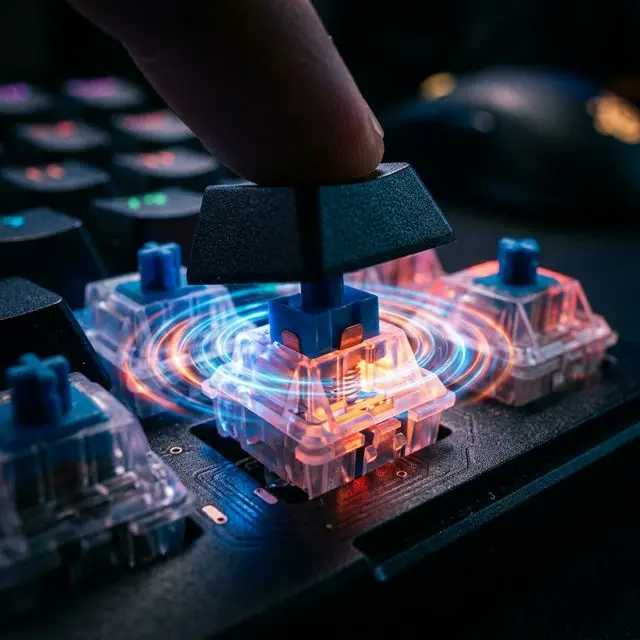
Does spending $200 on a mechanical keyboard actually increase your WPM? We break down the physics of actuation points, switch polling rates, and debouncing algorithms to find out if mechanical switches are scientifically faster than membrane domes.
If you walk into any software engineering office, tech startup, or competitive gaming arena in 2026, the ambient sound is unmistakable: it is the chaotic, rhythmic clattering of mechanical keyboards. Over the last decade, exactly how we interact with our computers has become a multibillion-dollar subculture.
Enthusiasts spend hundreds, sometimes thousands of dollars building custom keyboards. They meticulously lubricate plastic switches with synthetic grease, tune metal stabilizers to eliminate "rattle," and argue endlessly on Reddit about the acoustic properties of brass vs. polycarbonate mounting plates. But beneath all the aesthetics and "thocky" sound profiles, there exists a fundamental, highly debated question:
Are mechanical keyboards actually faster? Does spending $200 on a keyboard mathematically increase your Words Per Minute (WPM)?
In this technical deep dive, we are stripping away the hype. We will analyze the physics of switch actuation, the hardware latency of USB polling rates, the limitations of human biomechanics, and the impact of microcontroller firmware on your typing speed. Most importantly, we will show you how to conduct a rigorous, data-driven test using the precision MojoDocs local-first Typing Tester to scientifically determine which keyboard makes you type faster.
The Physics of Actuation: Membrane vs. Mechanical
To understand whether a keyboard is inherently "faster," we must first look at the physical mechanism that converts the kinetic energy of your finger into a digital electrical signal.
The Membrane Dome Hierarchy
The vast majority of keyboards sold today (including standard office keyboards and cheap bundled PC keyboards) use a rubber dome over a plastic membrane sheet. When you press a key down, the plastic keycap pushes down a soft rubber nipple. Underneath this nipple is a conductive pad. The keycap forces the conductive pad down onto a printed circuit board (PCB), closing an electrical circuit.
There is a massive physical limitation here: You must push the key 100% of the way down to the plastic deck to register a keystroke. This is known as "bottoming out." If the total travel distance of the key is 4 millimeters, your finger must travel exactly 4 millimeters down, physically smash into the plastic board, and then travel 4 millimeters back up.
The Mechanical Switch Advantage
A mechanical switch (like a Cherry MX or Gateron switch) operates entirely differently. Each key contains an independent, discrete plastic housing with a metal spring and two gold-plated copper alloy leaves touching each other.
Crucially, the electrical contact is not at the bottom of the switch. It is usually halfway down the plunger's stem. Therefore, on a standard mechanical switch with a 4mm total travel distance, the actual actuation point is at 2mm.
This is where the theoretical speed advantage originates. A professional typist using a mechanical keyboard does not need to press the key all the way down. They only need to press it 2mm down for the computer to recognize the letter, allowing the finger to immediately reverse direction and move to the next key. By cutting the physical travel distance in half, you are theoretically saving vital milliseconds on every single keystroke. Over the course of a 100-word typing test, those saved milliseconds compound into a noticeably higher WPM.
Biomechanical Feedback and the "Bottoming Out" Penalty
The mathematical advantage of an early actuation point is useless if the human brain doesn't know when the key has actuated. If your brain doesn't receive a signal that the letter character has been typed, it will naturally force your finger to push all the way to the bottom of the keyboard just to be safe. This nullifies the entire speed benefit of a mechanical switch.
This is where Tactility comes into play.
There are three primary categories of mechanical switches:
- Linear (e.g., Cherry MX Red): Smooth all the way down. There is no physical feedback when the key actuates. Typists often "bottom out" heavily on these switches because they cannot feel the exact actuation point.
- Tactile (e.g., Cherry MX Brown): There is a distinct, physical "bump" in the keystroke that exactly matches the 2mm actuation point. Your finger hits the bump, the electrical circuit closes, and a tactile shockwave travels up your finger to your central nervous system.
- Clicky (e.g., Cherry MX Blue): Similar to tactile, but features a two-piece slider that slaps against the plastic housing, generating a loud, audible "CLICK" alongside the physical bump.
From a biomechanical perspective, Tactile and Clicky switches are designed specifically to train your muscle memory to type faster. The physical bump acts as an immediate neurological stopping signal. An experienced typist relies heavily on this feedback loop. They feel the bump, instantly relax their tendon, and the metal spring launches the key back up, allowing the finger to transition to the next letter gracefully. This technique—typing without ever bottoming out—is colloquially known as "touch typing" in the enthusiast community, and it is the absolute pinnacle of high-WPM performance.
Membrane keyboards, by their very design, can never support this technique. The feedback on a rubber dome only occurs when the dome collapses at the very bottom of the stroke. The shock of constantly hitting solid plastic (bottoming out) also causes micro-trauma and fatigue in the fingertips over hours of coding or writing, leading to decreased sustained speed and repetitive strain injuries (RSI).
USB Polling Rates and Firmware Latency
Let's move away from physics and into computer science. Assuming two typists are equally skilled, the keyboard with the faster firmware processing will win a WPM race.
A keyboard is technically a highly specialized, low-power computer. When an electrical circuit is closed by a switch, the keyboard's internal microcontroller unit (MCU) detects it. The MCU then has to send a data packet through the USB cable to the host operating system.
The 125Hz Office Standard
The vast majority of cheap membrane keyboards and generic Bluetooth keyboards operate at a USB polling rate of 125Hz. This means the keyboard only sends data to the computer 125 times per second. Therefore, there is an inherent 8-millisecond delay between the moment your finger actuates the switch and the moment the computer is even capable of receiving the letter.
The 1000Hz Enthusaist Standard
Modern mechanical keyboards, particularly those marketed for gaming or enthusiast typing, utilize high-speed microcontrollers that poll at 1000Hz (or even 8000Hz on bleeding-edge esports hardware). A 1000Hz polling rate means the keyboard is communicating with the host PC 1,000 times a second, reducing USB grid latency to just 1 millisecond.
Does a 7ms difference matter for typing speed? For the average person typing 40 WPM, absolutely not. However, for a competitive typist hitting 150+ WPM, or a programmer executing rapid multi-key shortcuts (like Ctrl + Shift + F), a slow polling rate can actually lead to "ghosting" or transposed letters. If you type "th" incredibly fast on a 125Hz keyboard, the MCU might capture both keystrokes in the exact same polling window and send them to the OS simultaneously. If the firmware isn't perfectly optimized, the OS might interpret it out of order, resulting in a typo like "ht".
The Debounce Delay: Why Cheap Keyboards Choke
A piece of metal contacting another piece of metal is a messy physical process. When a mechanical switch closes, the metal leaves do not simply touch and stop. They physically bounce off each other microscopically for several milliseconds before settling into a flat contact.
If a keyboard's microcontroller didn't account for this, pressing the "A" key once would result in the computer registering "aaaaa" because it rapidly detected the electrical circuit opening and closing during the microscopic bounce.
To fix this, engineers write "Debounce Algorithms" into the keyboard firmware. A standard debounce algorithm tells the microcontroller: "When you detect a circuit close, wait 5 milliseconds. If the circuit is still closed after 5ms, then send the keystroke to the computer. Ignore any bouncing in between."
Cheap mechanical keyboards and low-end membrane boards use heavily aggressive debounce algorithms (sometimes waiting 15 or 20 milliseconds) because they use low-quality metal contacts that bounce wildly. High-end mechanical keyboards running open-source firmware like QMK or ZMK allow the user to manually tune their debounce delay down to 2ms or even 1ms, utilizing advanced algorithmic filtering (like eager debouncing or eager-per-key tracking).
When you combine a 20ms debounce delay with an 8ms USB polling delay, a cheap keyboard can easily introduce a 28ms invisible lag wall between your brain and the screen. Typing through lag is psychologically disruptive. It forces the typist to consciously monitor the screen to ensure the characters are appearing, rather than relying purely on muscle memory. This cognitive dissonance destroys high-WPM flow states.
The Laptop Paradox: Why Apple Magic Keyboards Test So High
If deep travel distance is a barrier, and short actuation is better, then what about laptop keyboards? Specifically, what about the ultra-low-profile Apple MacBook keyboards or Apple Magic Keyboards?
This introduces the Great Typing Paradox. In many raw speed benchmarks, professional typists can actually achieve their absolute highest peak WPMs on low-profile chiclet or laptop scissor-switch keyboards.
Why? Because the total travel distance is almost zero (typically just 1mm). The actuation point is practically instantaneous. The finger has to exert almost no energy to complete severe keystrokes, allowing for hyper-fast skimming over the keys.
However, this comes at a massive cost: Accuracy and Endurance.
Because chiclet keyboards offer zero physical separation between the act of resting your finger gracefully on a key and actually triggering it by accident, the error rate (typos) skyrockets. Furthermore, because you are aggressively slamming your fingertips into a hard aluminum chassis with no spring-loaded cushioning to absorb the kinetic shock, finger fatigue sets in incredibly quickly.
In a 15-second typing burst, a MacBook keyboard might win a WPM race. In a 60-minute coding sprint, the error correction penalty (having to constantly hit Backspace) and physical tendon fatigue will cause the chiclet typist's WPM to plummet drastically, while the mechanical keyboard user maintains a steady, relaxed, and highly accurate pace.
How to Conduct a Valid WPM Data Test (A/B Testing Methodology)
We've established the theoretical physics and software latency arguments. But theory is useless without data. Are you actually faster on a mechanical keyboard, or is the placebo effect justifying your $200 purchase?
To find out, you must conduct a rigid A/B test. We cannot rely on basic online typing tests that require the browser to download heavy Javascript packets, as network lag will interfere with our local hardware millisecond tracking.
The perfect tool for this is the MojoDocs Web Typing Tester. It runs locally via WebAssembly, guaranteeing zero latency. Its input handler hooks directly into the React virtual DOM to track microsecond keyboard events without server roundtrips. Most importantly, it generates real-time telemetry graphs showing exactly where your WPM spikes and crashes.
The Testing Protocol
- Gather Your Hardware: Procure a standard membrane office keyboard (the "A" sample) and an enthusiast mechanical keyboard (the "B" sample).
- Establish the Environment: Open the MojoDocs Typing Tester in Full Screen / Studio Mode to eliminate UI distractions.
- The Baseline Warmup: Do not jump straight into data logging. Your hands are cold. Perform three unrecorded 30-second logic tests on your primary keyboard to get your blood flowing and establish cognitive momentum.
- The Membrane Test (3x 60 Seconds): Connect the membrane keyboard. Set the MojoDocs clock to 60 seconds. Run the test three times in a row. Record the raw WPM, Adjusted WPM, and Accuracy percentage for each run.
- The Mechanical Test (3x 60 Seconds): Immediately swap to the mechanical keyboard. Repeat the 60-second test three times. Record the metrics.
- Analyze the Data: Open the MojoDocs analytics graph after your final test. Look specifically at your Consistency Score. You will often find that even if your peak WPM on the membrane keyboard was randomly higher during a specific 5-second burst, your consistency and accuracy on the mechanical keyboard resulted in a much higher sustained, usable output.
Pro Tip: When analyzing your stats, look heavily at the "Raw WPM" vs "Adjusted WPM". If your Raw WPM on a laptop keyboard is incredibly high, but your Adjusted WPM is low, it proves the laptop keys are causing high-frequency typological errors requiring backspace corrections.
Conclusion: Is the Upgrade Worth It?
The data points heavily to yes, but with a nuanced caveat.
A mechanical keyboard will not magically transform someone who hunts-and-pecks at 20 WPM into a 120 WPM professional transcriber. Typing speed is fundamentally a product of muscle memory, neurological mapping, and practice.
However, for a touch-typist operating anywhere above 60 WPM, a mechanical keyboard mathematically and biomechanically raises the "skill ceiling." By shortening the actuation point, utilizing tactile feedback to prevent painful bottoming out, implementing rapid 1000Hz polling rates, and executing instantaneous debounce algorithms, a mechanical keyboard removes hardware latency from the equation. It gets the technology out of your way.
When you type on a high-quality mechanical switch, the only bottleneck left in the system is the speed of your own thoughts. And that is an entirely different optimization problem.
Prove it. Test your actual WPM right now.
MojoDocs provides a zero-latency, local-first typing engine featuring complex analytics, raw WPM tracking, and SVG telemetry charts.
Launch the Typing Tester