The Android File Transfer app is notoriously broken. Learn how to securely beam gigabytes of photos and videos from your Android straight to your Mac using WebRTC Data Channels—no cables, no cloud uploads, and absolute zero latency.
If you own an iPhone and a MacBook, transferring a 4GB 4K video takes two clicks and a few seconds via AirDrop. It is a seamless, magical experience. But if you dare to pair an Android phone with a macOS machine, you are instantly plunged into a decade-old technological nightmare.
For over ten years, the standard advice has been to download the official "Android File Transfer" app from Google. Anyone who has used this software knows the truth: it randomly disconnects mid-transfer, it fails to recognize the device 50% of the time, and it corrupts large video files with terrifying regularity. In 2026, relying on a brittle USB-C cable and outdated MTP (Media Transfer Protocol) drivers is completely unacceptable.
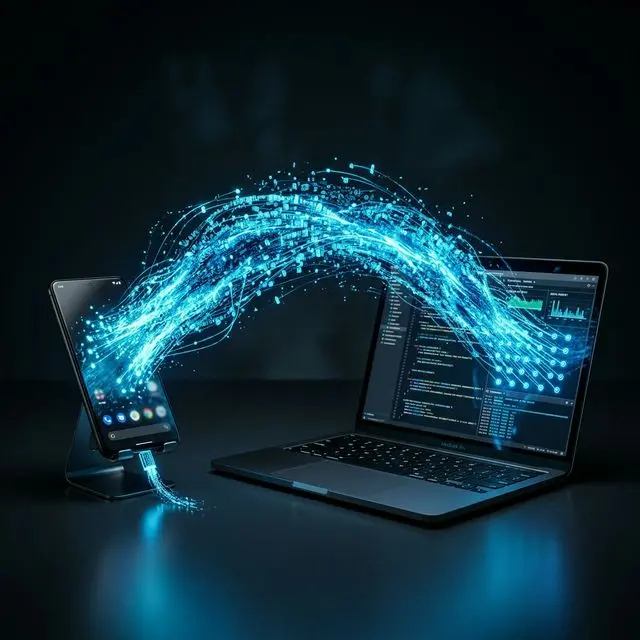
In this engineering deep dive, we will explain exactly why the traditional Android-to-Mac pipeline is completely broken. Then, we will reveal the ultimate solution: How to use WebRTC Data Channels to beam gigabytes of data directly from your Android phone to your Mac over Wi-Fi, completely bypassing the cloud, cables, and Google's archaic desktop software.
The Failure of the Android File Transfer App
Before we explore the WebRTC fix, we must understand why the USB cable method fails so catastrophically on modern Macs.
Scenario A: The Broken USB Connection
You just filmed a 20-minute vlog on your Samsung Galaxy S25 in stunning 4K 60fps. You plug your phone into your MacBook Pro. You open the Android File Transfer app. You see the file tree.
You drag the 8GB MP4 file to your desktop. The progress bar starts. It reaches 90% and then... "Can't access device storage." The app crashes. You unplug the cable, restart your Mac, and try again. It fails again.
Why does this happen? The root cause is MTP (Media Transfer Protocol).
MTP was invented by Microsoft in 2004 for ancient MP3 players. Unlike a standard USB flash drive (which uses Mass Storage Class to let your computer view the raw 1s and 0s on the disk), MTP forces your Mac to politely ask your phone's operating system for permission to read a file block by block. Apple has intentionally never provided native, robust support for MTP inside the core macOS kernel. Ergo, Google had to write a third-party bridge app—the infamous Android File Transfer—which has barely received an update since 2017.
The "Cloud Upload" Anti-Pattern
Frustrated by the USB cable, 90% of users resort to the worst possible workaround: The Cloud.
When you want to send a photo from your phone (which is sitting 3 inches away from your laptop) to your laptop, you upload it to Google Drive or email it to yourself. Let's analyze the physical path that data just took:
- The data is beamed from your Android phone's Wi-Fi antenna to your local router.
- The router pushes the data through fiber-optic cables spanning 1,500 miles to a Google Data Center in Virginia.
- Google’s servers analyze the file, save a copy to their hard drives, and assign it a URL.
- Your MacBook, located 3 inches from where the data started, requests the URL.
- The data travels 1,500 miles back from Virginia to your router.
- The router beams it to your MacBook.
CRITICAL WARNING: The Privacy Danger
Never use WhatsApp or Cloud Drives to transfer highly sensitive personal files.
Not only is a 3,000-mile round trip absurdly inefficient, but it fundamentally compromises your privacy. Even with encryption, cloud providers often log the metadata (file size, location, device type). Furthermore, messaging apps like WhatsApp aggressively compress high-resolution photos and videos, permanently destroying the original file quality before it even reaches your Mac.
The Superior Solution: WebRTC Local Network Sharing
What if we could create an invisible, encrypted tunnel directly from the Android's Wi-Fi antenna to the MacBook's Wi-Fi antenna, entirely bypassing the wider Internet?
Enter WebRTC (Web Real-Time Communication).
Most people know WebRTC as the technology that powers Zoom and Google Meet in the browser. But WebRTC contains a highly specialized protocol called the RTCDataChannel. This protocol allows two browsers to establish a direct Peer-to-Peer (P2P) connection and stream raw binary data between them.
| Transfer Method | Speed (Typical) | Privacy & Security | Quality Loss |
|---|---|---|---|
| USB Cable (MTP) | ~30 MB/s | High (Local) | None |
| Google Drive / Email | ~5 MB/s | Low (Third-Party Server) | None |
| WhatsApp Web | ~3 MB/s | Medium (E2E Encrypted) | Massive Compression |
| MojoDocs WebRTC | ~100+ MB/s | Maximum (Direct P2P) | None (Raw Binary) |
How the MojoDocs Local Share Engine Works
When you open the MojoDocs Local Share tool on both your Android phone and your Mac, a fascinating engineering handshake occurs.
1. The Signaling Phase
Your two devices must mathematically introduced to each other. MojoDocs uses a lightweight clearinghouse WebSocket server to exchange "Session Description Protocol" (SDP) tickets. This ticket literally just says, "Hey, I am a phone on IP address 192.168.1.15, and I want to send a file to the Mac who just requested to pair."
2. The Handshake Protocol (ICE Candidates)
Once the initial hello is exchanged, the clearinghouse server drops the connection entirely. The devices now utilize Interactive Connectivity Establishment (ICE) to negotiate the fastest possible physical route between them. Since both devices are connected to your same home Wi-Fi router, ICE realizes it does not need to use the internet at all. It builds a direct tunnel across your local router's switchboard.
3. The Execution Phase (Chunking)
When you select the 4GB video on your Android phone, the WebRTC engine physically slices the massive binary file into 64-kilobyte "chunks." It then aggressively blasts these chunks across the encrypted local Wi-Fi tunnel. Your Mac receives the chunks, perfectly reassembles them in exact order inside the browser's high-speed RAM, and automatically initiates a zero-latency download to your Downloads folder.
Scenario B: The 3-Second Payload
You need to send forty high-resolution 25MB RAW photos from your Galaxy to your Mac for a Lightroom edit. You scan the MojoDocs QR code. The devices pair locally.
You select the 40 photos (1,000 MB total). Because your modern Wi-Fi 6 router supports local transmission speeds of up to 1200 Megabits Per Second, the entire gigabyte payload slams into your Mac's RAM in exactly 8.3 seconds. Your gigabit fiber internet connection is completely bypassed. Data caps are entirely unaffected. Absolute privacy is maintained.
Why the Browser Defeats Native Apps
There are standalone apps explicitly designed to do this (like "LocalSend" or "Snapdrop"). So why build this directly into the MojoDocs Progressive Web App?
Because forcing a user to download a 50MB app from the Google Play Store on their phone, and then forcing them to download a corresponding .DMG executable on their Mac just to transfer a single file is archaic friction.
By leveraging the native WebRTC capabilities built directly into Chrome, Safari, and Firefox, MojoDocs requires absolutely zero installation. You open the URL on both devices, and the P2P connection instantly crystallizes.
Conclusion: Reclaiming the Ecosystem
Apple's "Walled Garden" ecosystem is a beautiful cage. AirDrop is exclusively designed to make your life painful the moment you introduce a non-Apple device into the equation. The tragic failure of Google's official Android File Transfer app only hardens those walls.
By democratizing high-speed local data transfer via WebRTC Data Channels, MojoDocs destroys the walled garden. Whether you are running Windows to Mac, Android to Linux, or iOS to Windows, the local browser engine treats all machines as equals.
Tear Down the Walled Garden.
Experience true AirDrop-level speeds between your Android and your Mac. No apps to install. No cloud uploads. Total privacy.
Launch Local Share