Save ₹500+ per person by avoiding studios. A complete guide to taking compliant Indian Passport, PAN, and Aadhaar photos using just your smartphone and MojoDocs Local Studio.
Planning an international trip in 2026, or finally addressing that pending PAN card update? The first block is always the photo. It is an archaic ritual: finding a local photo studio, parking your vehicle, waiting in line, standing awkwardly in front of a pull-down screen while a stranger clicks a button, and finally paying a premium price for a sheet of photos where you likely look tired.
In India, the "Passphoto Business" is a massive industry built on convenience fees. A standard set of 8 photos costs anywhere from ₹250 to ₹500 at a studio in Mumbai or Delhi. Even a basic urgent photo at a railway station kiosk can cost ₹200. For a family of four applying for visas, you are looking at ₹2,000 just for photos.
There is a smarter, cheaper, and safer way. With the high-resolution sensors in modern smartphones (iPhone, Samsung, Pixel, and even mid-range Xiaomi/OnePlus devices) and the advanced local processing of MojoDocs, you can create studio-quality biometric photos from your living room—free, private, and perfectly compliant.
Why DIY Passport Photos Are Superior
It’s not just about saving money (though saving ₹2,000 is significant). It’s about Control, Comfort, and Privacy.
1. Unlimited Retakes (Look Your Best)
At a studio, the photographer clicks twice. Maybe three times if you ask. You are stuck with that image for 10 years on your passport. With DIY, you can take 50 shots. Fix your hair. Adjust your collar. Change your shirt. You have complete control to ensure you look professional and presentable.
2. Infant and Baby Photos (The Nightmare Solver)
Parents know the struggle. diverse. Trying to get a 6-month-old baby to look straight at a camera in a strange studio with bright flash lights is impossible. The baby cries, looks away, or closes their eyes. Result? Rejection.
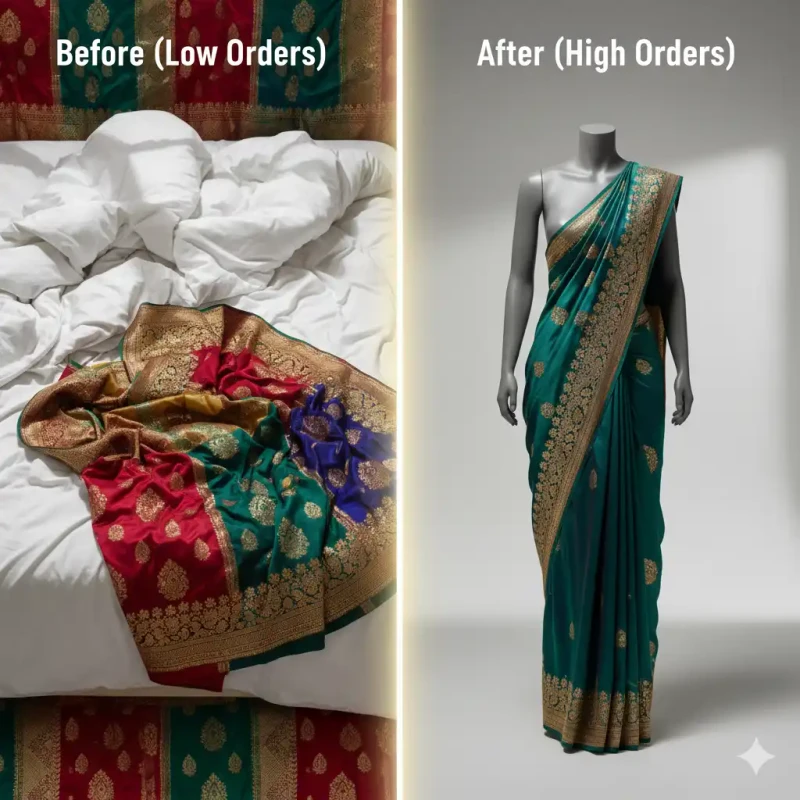
The DIY Advantage: Lay your baby on a white sheet on your bed at home. Use natural window light. Hover your phone above them (safely). Take a burst of 20 photos. One of them will be perfect. MojoDocs can then remove the bedsheet background instantly.
3. Data Privacy (Zero-Server)
This is arguably the most important factor in 2026. When you go to a cheap photo lab, do you know where your digital copy goes? Is it deleted? Or is it sitting on a desktop folder named "New Folder (2)", potentially vulnerable to misuse? Passport photos are high-fidelity biometric data.
MojoDocs solves this by offering a Zero-Server solution. Your photo is processed inside your own web browser using WebAssembly. It never travels to the cloud. You are the only one who holds the data.
Understanding the Complex Indian Standards
One size does NOT fit all in India. A common mistake is using the same size photo for a Passport as for a PAN card application. This leads to instant rejections by the NSDL or Passport Seva Kendra.
1. Indian Passport (New Standard)
- Dimensions: 51mm x 51mm (2 x 2 inches).
- Background: Plain White.
- Note: This is a shift from the older 35mm standard to align with international biometric norms (ICAO).
2. Aadhaar Card
- Dimensions: 35mm x 45mm.
- Background: White or Off-White.
- Crucial: Both ears must be clearly visible. No heavy shadows.
3. PAN Card (NSDL / UTIITSL)
- Dimensions: 25mm x 35mm. (Significantly smaller).
- File Size: STRICTLY under 50KB.
- Why it fails: Most people upload a high-res 2MB file and get an error. MojoDocs has a specific PAN preset that handles cropping and compression together.
4. Driving License (Parivahan)
- Dimensions: 35mm x 45mm.
- File Size: Usually under 20KB or 50KB depending on the state (RTO).
Step 1: The Setup (Lighting & Camera)
You don't need professional ring lights or umbrellas. You just need a window. Here is the professional formula for home lighting:
The "Window Face" Technique:
- Find a large window with indirect sunlight (not harsh beaming sun that makes you squint).
- Stand facing the window directly. The window should be in front of you, behind the camera.
- This floods your face with soft, even light, eliminating the "racoon eyes" shadows caused by overhead ceiling lights (tubelights).
- Avoid side-lighting. If the window is on your left, the right side of your face will be dark.
Camera Position:
- Use the Back Camera of your phone. The front (Selfie) camera often has a wide-angle lens that distorts facial features (making your nose look larger/bulbous).
- Stand 4-6 feet away from the lens. Use the Zoom feature (2x or 3x) to frame the shot. This "Telephoto compression" is flattering and accurate.
- Ask a family member to click the photo, or use a timer with your phone propped up at eye level.
Step 2: Processing in MojoDocs (The Magic)
Once you have your raw photo, head to the Passport Photo Maker. Unlike standard cropping tools, this is a purpose-built biometric studio.
Automatic Privacy-First Background Removal
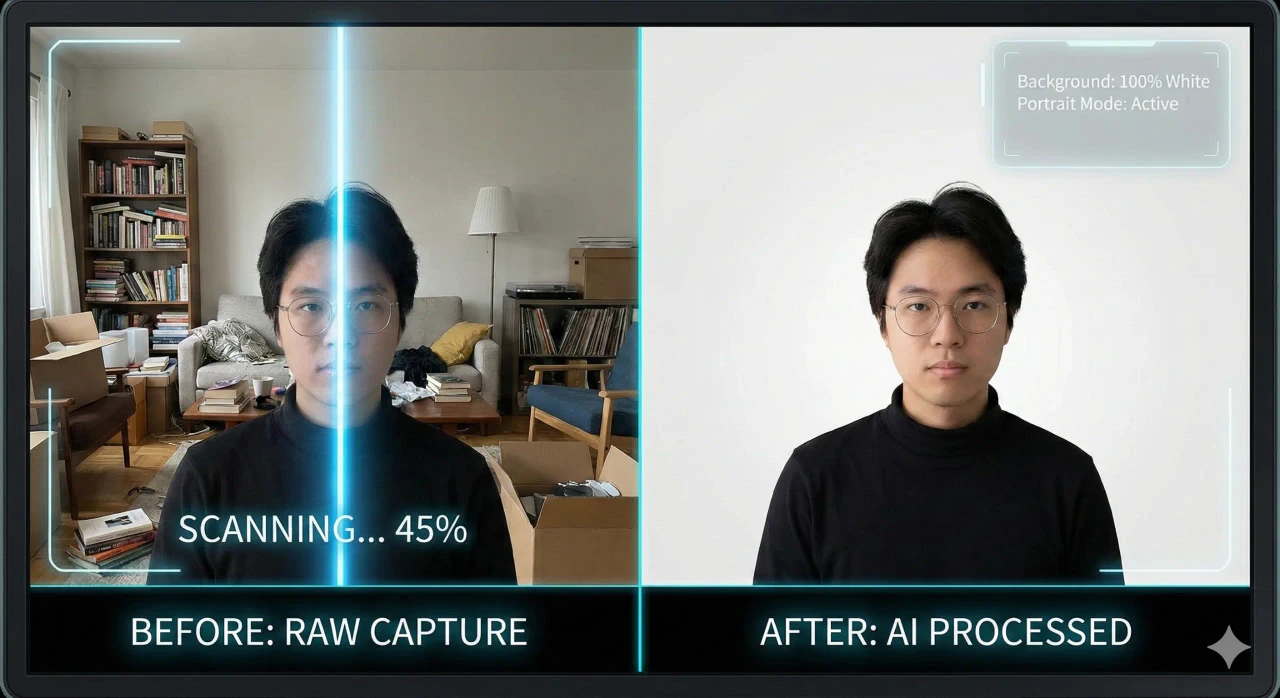
You probably took your photo against a beige wall, a messy bedroom, or a curtain. That won't work for a passport. Traditional advice says "find a white wall," but "white" walls often look grey, yellow, or blue in photos depending on the light bulb.
The Solution: MojoDocs uses a local WASM-based background engine.
- Upload your raw photo.
- Toggle "Remove Background".
- The messy bedroom vanishes. It is replaced instantly.
- Select White for India/US, or Light Grey for EU Visas.
Technically speaking: This removal happens on your device's CPU/GPU. No server API is called. This guarantees your biometric privacy.
Cultural & Religious Attire Rules
India is a land of diversity, and our photos reflect that. MojoDocs supports diverse needs:
- Turbans (Sikhs): Allowed. The turban must be a solid color (avoid patterns). The hairline requirement is waived, but the forehead/ears rule applies as much as possible.
- Hijabs/Dupattas: Allowed for religious reasons. However, the full face (chin to forehead, and both edges of the face) must be visible. The veil cannot cover the eyes or cast a shadow on the face.
- Bindis/Tilaks: Generally allowed if they are part of your daily appearance and do not cover biometric zones (eyes/eyebrows).
Step 3: Exporting & Printing (The Smart Way)
You have two export options based on your needs:
Option A: Digital Upload (For Online Forms)
If you are applying for a PAN Card or filling a Visa form online (DS-160), select "Single Image" export. MojoDocs will save a single JPEG.
Crucial for PAN/Aadhaar: Use the Image Compressor tool (also in MojoDocs) if the file size is above the portal limit. MojoDocs' intelligent compression reduces size without blurring facial features.
Option B: Physical Prints (The 4x6 Hack)
If you need physical photos for your physical passport appointment or visa interview, DO NOT print a single image in the middle of a A4 sheet. It wastes paper and looks unprofessional.
Select "Sheet (4x6)" export mode. MojoDocs tiles your photo 8 times onto a standard postcard-sized canvas (4x6 inches).
How to Print Cheaply in India:
- Save the 4x6 sheet image to your phone.
- Walk to a local Xerox/Print shop (or use services like Blinkit Print Store / Zepto in metros).
- Ask for a "4x6 Glossy Photo Print".
- Cost: ₹10 to ₹25 per sheet.
- You get 8 photos for ₹20. That is ₹2.50 per photo instead of the ₹40 per photo charged by studios.
Detailed Specifications Table
| Document | Dimensions | Background | Special Rule |
|---|---|---|---|
| Indian Passport | 51 x 51 mm | White | Dark plain shirt recommended for contrast. |
| PAN Card | 25 x 35 mm | White | Must be < 50KB file size. |
| Aadhaar Card | 35 x 45 mm | White | Both ears visible. Neutral expression. |
| US Visa (DS-160) | 51 x 51 mm | Pure White | No Glasses Allowed. |
| Schengen Visa | 35 x 45 mm | Light Grey | White background can be rejected (glare). |
Conclusion
Passport photos are a necessity, but overpaying for them is a choice. With MojoDocs, you have a professional-grade biometric studio in your pocket. It respects your wallet by saving you hundreds of rupees, and more importantly, it respects your dignity and data privacy.
So next time you need a photo for a Bank KY, a driving license, or a trip to Europe, don't rush to the market. Just go to your window.
.webp)