Convert JPG, PNG, WebP, HEIC, and AVIF instantly in your browser. MojoDocs provides a universal, privacy-first converter that runs without limits.
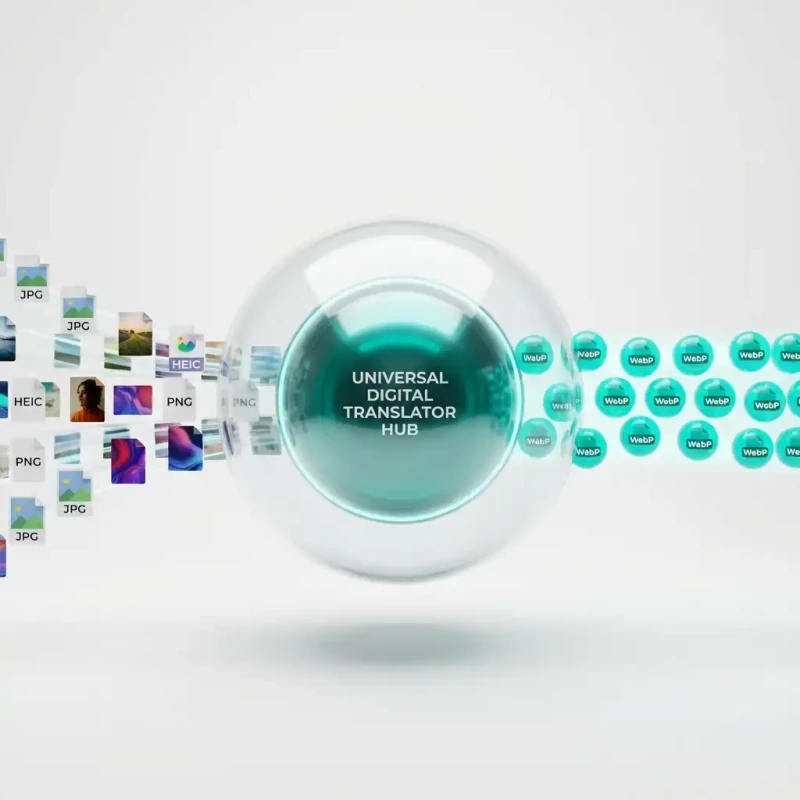
The internet is fragmented. Your iPhone takes photos in HEIC. Your designer sends assets in PNG. Your website needs WebP for speed. And legacy clients still demand JPG. Living in this "format hell" kills productivity.
Traditionally, solving this meant installing heavy desktop software or using ad-riddled online converters that throttle your speed. You know the ones: "You've reached your 2 free conversions for the day."
MojoDocs is the universal Rosetta Stone for images. We built a powerful conversion engine that runs entirely in your browser, supporting every major format you encounter in 2026.
The Format Wars: Why You Need a Converter
Different formats exist for different reasons, but they don't always play nice together:
- JPG: The old standard. Good compatibility, terrible transparency support.
- PNG: Lossless quality and transparency, but huge file sizes.
- WebP: Google's modern standard. Small size, high quality, but older apps can't open it.
- HEIC: Apple's high-efficiency format. Great on iPhone, "unreadable file" on Windows.
- AVIF: The cutting-edge future. Tiny size, but limited support.
MojoDocs bridges these gaps. We let you move seamless between any of these formats instantly.
The Local-First Difference
Typical converters work by uploading your file to a server, processing it with ImageMagick, and sending it back. MojoDocs works differently:
We compiled the actual image codecs (encoders/decoders) into WebAssembly binaries. When you visit our site, your browser downloads these lightweight engines once. From then on, your computer becomes the converter.
Why this matters:
- Speed: Zero upload time. A 10MB HEIC file is decoded instantly on your machine instead of travelling to a server in Virginia and back.
- Privacy: We never see your files. They reside in your RAM.
- Unlimited: Since we don't pay for server CPU, we don't care if you convert 500 files at once. Go crazy.
Tutorial: Batch Converting for Web
Let's say you have a folder of high-res PNGs that you need to turn into WebP for your website.
1. Drag and Drop
Drop your 50 PNGs into the converter. You will see them populate the list instantly.
2. Select Target Format
Choose "WebP" from the output dropdown. You actually have two choices here:
- Lossless: Perfect 1:1 pixel copy, just in a better container.
- Lossy (Optimized): The smart choice for web. Reduces size by ~80% with invisible quality trade-offs.
3. Launch
Hit "Convert All". Watch as the progress bars race across. Because we utilize your multi-core CPU, we can process multiple images in parallel.
Feature Comparison Table
| Feature | CloudConvert / Zamzar | MojoDocs Universal |
|---|---|---|
| HEIC Decoding | Often Paid or Slow | Native & Free |
| Batch Queue | Limited (e.g. max 5) | Unlimited |
| Privacy | Data Stored Temp. | No Data Transfer |
Conclusion
Stop fighting with file formats. MojoDocs gives you the tools to command your digital assets, ensuring they are always in the right format, at the right time, completely for free.